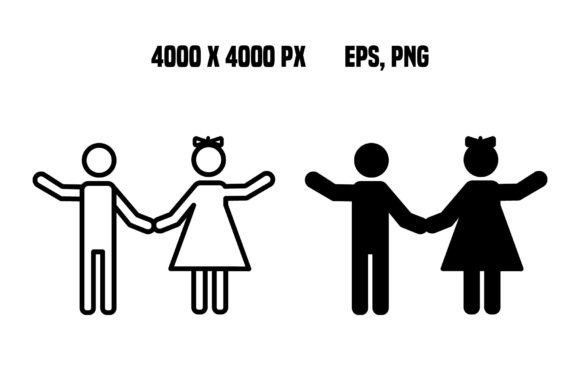
Children Icons: Vector People for Web Design
In the crowded landscape of digital content, the right visual element can make the difference between a user scrolling past and one who stops to engage. For designers, marketers, and educators building websites or apps focused on family, education, or youth services, finding high-quality Children Icons is often a critical step in the creative process. These aren't just simple clipart; they are foundational design assets that convey warmth, playfulness, and approachability instantly. When you integrate well-crafted vector people icons into your projects, you elevate the user experience by providing clear, recognizable, and emotionally resonant imagery.
The Power of Scalable Vector Graphics
One of the most significant advantages of this specific collection lies in its format. Unlike raster images (such as JPEGs) that lose quality when enlarged, these Children Icons are built using vector technology. This means the graphics are defined by mathematical equations rather than pixels. The result is an image that remains crisp and sharp at any size, from a tiny favicon in a browser tab to a massive billboard banner.
The file package includes both EPS and PNG formats, offering flexibility for different workflows. The EPS files are ideal for professional layout software like Adobe Illustrator or InDesign, allowing you to edit colors, adjust shapes, or combine elements with other graphics. Meanwhile, the PNG files come with transparent backgrounds, making them ready-to-use for web developers and UI designers who need to drop the icon directly onto a colored background without awkward white boxes.
Resolution is another key factor. With dimensions of 4000 x 4000 pixels and a resolution of 300 dpi, these assets meet the highest standards for print and digital media. Whether you are designing a children's book cover, a mobile app interface, or a corporate presentation about family values, you won't encounter pixelation or blurriness. This high fidelity ensures your brand looks professional and polished across all touchpoints.
Why Designers Choose Vector People Icons
Choosing the right icon set is rarely just about aesthetics; it is about communication efficiency. Children Icons serve as universal symbols that transcend language barriers. A silhouette of a child reading, playing, or learning communicates the concept immediately, reducing the cognitive load on the user. In web design, where attention spans are short, these visual cues help guide users through content more effectively than text alone.
Furthermore, vector people icons allow for consistent branding. Because the lines are clean and the styles are uniform, you can use these icons to create a cohesive visual language throughout your website or application. Consistency builds trust. When a user navigates from a landing page to a blog post or a service description, seeing the same style of Children Icons reinforces the identity of your site and makes the navigation feel intuitive.
Practical Applications Across Industries
The versatility of these vector people icons extends far beyond a single niche. Professionals across various sectors can leverage these assets to enhance their projects in meaningful ways.
- Educational Platforms: Teachers and e-learning developers can use these icons to illustrate curriculum topics, mark progress bars, or represent student profiles. They add a friendly tone to educational dashboards, making the learning environment feel less rigid and more inviting.
- Healthcare and Pediatrics: Pediatric clinics and health organizations often struggle to find imagery that is professional yet comforting. These icons can be used on appointment booking pages, informational brochures, or telehealth interfaces to signal that the space is safe and child-friendly.
- Retail and E-Commerce: Online stores selling toys, clothing, or baby products need visuals that appeal to parents. Using Children Icons in category headers, shopping carts, or promotional banners helps customers quickly identify relevant sections of the store.
- Non-Profit and Advocacy: Organizations focused on child welfare, adoption, or community support can use these graphics in fundraising campaigns and annual reports. The ability to customize the colors allows non-profits to align the icons perfectly with their brand guidelines while maintaining a human-centric message.
- Digital Marketing and Social Media: Content creators and social media managers can utilize the high-resolution PNGs for Instagram stories, blog thumbnails, and email newsletters. The transparency ensures the icons blend seamlessly with any graphic template.
Enhancing User Experience and Engagement
When implemented correctly, Children Icons do more than decorate a page; they improve usability. In complex applications, icons act as signposts. For example, a "Parent Portal" section might feature an icon of an adult holding a child, while a "Student Zone" uses an icon of a child with a backpack. This visual distinction helps users navigate large sites with ease.
Moreover, these icons contribute to emotional engagement. A website filled with sterile stock photos can feel cold and impersonal. By incorporating stylized, friendly vector illustrations, you inject personality into the digital space. This is particularly important for businesses targeting families, where the decision-making process is often driven by emotion and trust. A warm, welcoming visual style suggests that the business cares about the well-being of children, which is a powerful selling point.
Technical Considerations for Implementation
While the quality of these assets is high, successful integration requires some technical awareness. Since the package includes a ZIP file, ensure you extract the contents before attempting to open them. If you are working with the EPS files, verify that your software supports the version provided, though most modern design tools handle standard EPS files without issue.
For web developers, the PNG files are optimized for screen display. However, because they are high resolution (4000 x 4000), the file size might be larger than necessary for small web icons. It is best practice to resize the PNGs to the specific dimensions needed for your layout (e.g., 64x64 or 128x128 pixels) using an image editor before uploading them to your server. This reduces page load times, which is a crucial factor for SEO and user retention.
If you need to alter the color scheme to match your brand palette, the EPS files are your best option. You can easily change the fill colors of the vector paths without losing any quality. This level of customization ensures that your Children Icons don't just look good—they look exactly like they belong to your brand.
Final Thoughts on Visual Storytelling
Great design is about solving problems, not just making things look pretty. These vector people icons solve the problem of finding scalable, high-quality, and versatile imagery for projects involving youth and family themes. By choosing a resource that offers both editable vectors and ready-to-use raster images, you streamline your workflow and ensure consistency across all your media.
Whether you are a freelancer delivering a quick logo update, a marketing team launching a new campaign, or an educator building an online course, the right visual assets matter. These Children Icons provide the foundation for clear, engaging, and professional communication. Thank you for visiting the store, and we hope these design elements help you bring your next project to life with clarity and charm.